Asset Lifecycle Planning: Maximizing ROI on Corporate Laptops & Infrastructure
For most businesses today, tech is one of the biggest operational expenses. Corporate laptops, servers, networking equipment, and peripheral devices directly influence productivity, security, and scalability. However, without a structured approach to managing these assets, companies can face rising costs, unplanned downtime, and compliance risks. This is where IT asset lifecycle planning plays an important role. By managing IT assets from procurement to retirement, businesses can extract maximum value while aligning technology usage with long-term goals.
What Is IT Asset Lifecycle Planning?
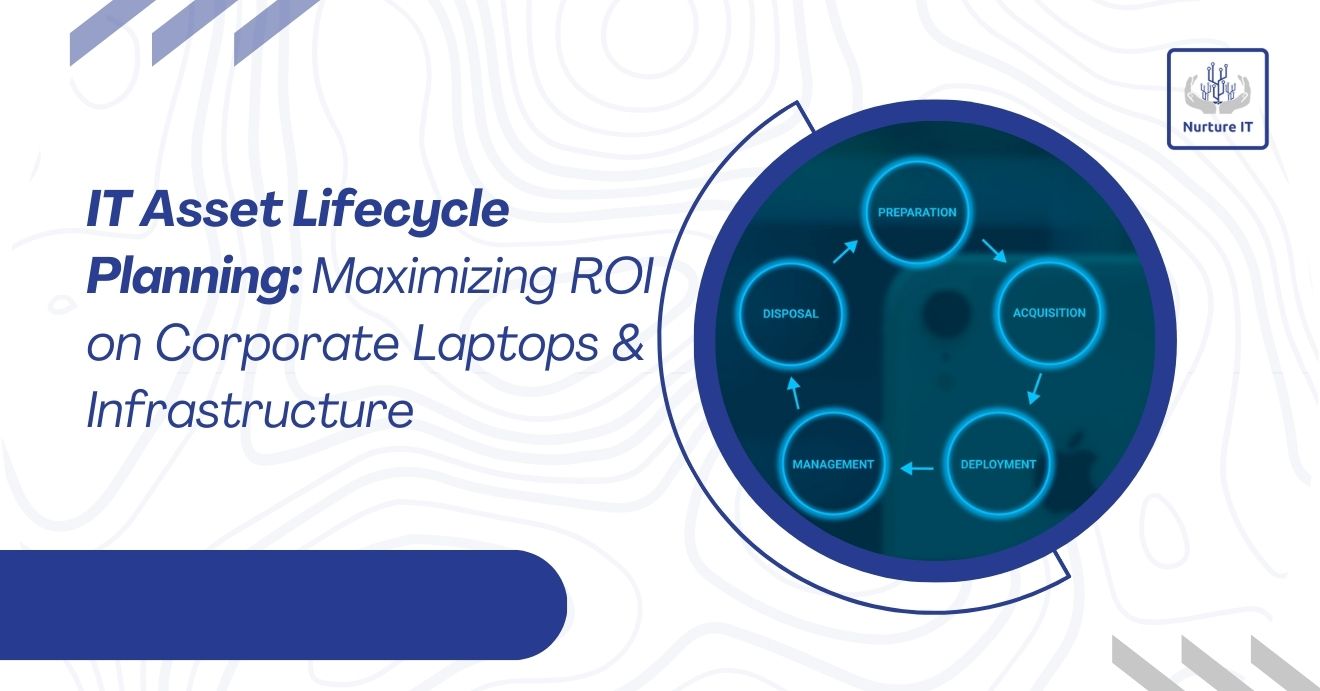
IT asset lifecycle planning refers to the strategic management of IT assets throughout their entire lifespan. This includes acquisition, deployment, usage, maintenance, upgrades, and final disposal. Each stage involves decisions that impact the total cost of ownership (TCO), return on investment (ROI), and operational efficiency.
The lifecycle typically consists of five stages:
- Planning and procurement
- Deployment and configuration
- Operation and maintenance
- Optimization and upgrades
- Retirement and disposal
When these stages are managed as part of a single strategy, organizations gain better visibility and control over their IT investments.
Why Asset Lifecycle Planning Matters for ROI
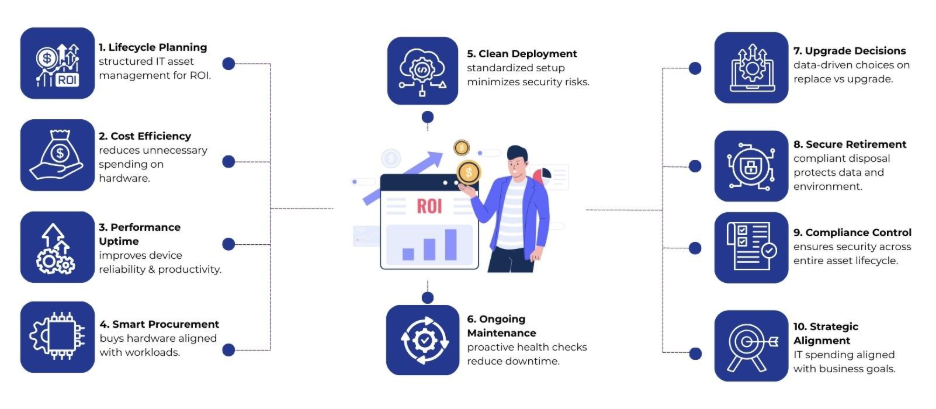
Corporate laptops and IT infrastructure depreciate rapidly due to technological advancement and wear. Therefore, poor planning can lead to early replacements, underutilized hardware, or security vulnerabilities. However, effective lifecycle planning helps organizations:
- Reduce unnecessary capital expenditure
- Extend the usable life of devices
- Improve employee productivity
- Lower maintenance and support costs
- Support compliance and data protection requirements
By tracking asset performance and costs over time, decision-makers gain factual insights into when to repair, upgrade, or replace equipment.
Stage 1: Strategic Planning and Procurement
The foundation of successful IT asset lifecycle planning starts before any purchase is made. At this stage, organizations assess business requirements, user roles, and expected workloads.
Key considerations include:
- Hardware specifications aligned with job functions
- Compatibility with existing systems
- Vendor reliability and warranty coverage
- Scalability for future growth
Standardizing laptop models and infrastructure components can simplify support and reduce inventory complexity. Besides, bulk purchasing and a long-term partnership with Nurture IT in Indiranagar may lower unit costs.
Stage 2: Deployment and Configuration
After the procurement phase, success really comes down to how well you actually deploy everything. Delays or inconsistent setups can lead to productivity losses and security gaps.
Best practices at this stage involve:
- Creating standardized system images
- Applying security policies and access controls
- Tagging and recording assets in an inventory system
- Assigning devices to users with clear accountability
Accurate asset records form the backbone of lifecycle planning. When your records are right, your team knows where everything is, how much it’s being used, and when it’s about to wear out.
Stage 3: Operation and Ongoing Maintenance
The operational phase represents the longest portion of an asset’s lifecycle and has the greatest impact on ROI. Regular maintenance and monitoring help organizations avoid sudden failures and performance issues.
Effective operational management includes:
- Scheduled hardware health checks
- Timely operating system and firmware updates
- Proactive replacement of failing components
- Helpdesk support aligned with asset data
For corporate laptops, battery health, storage performance, and thermal conditions often determine usability. Addressing these factors early reduces downtime and extends functional life.
Stage 4: Optimization and Upgrade Decisions
Not all performance issues require full replacement. Therefore, IT asset lifecycle planning emphasizes data-driven decisions on upgrades versus new purchases.
Examples include:
- Increasing RAM or SSD capacity instead of replacing laptops
- Upgrading network switches to support higher bandwidth needs
- Virtualizing workloads to reduce physical server dependence
Lifecycle data, such as repair frequency, maintenance costs, and user feedback, helps identify the point where continued investment no longer delivers value. This approach balances cost control with performance requirements.
Stage 5: Retirement and Responsible Disposal
Every IT asset reaches the end of its useful life. Poorly managed retirement can expose organizations to data breaches, compliance penalties, and environmental risks.
A structured retirement process involves:
- Secure data wiping or destruction
- Compliance with local e-waste regulations
- Asset resale or recycling, where possible
- Updating inventory records to reflect disposal
Remarketing retired laptops that still hold residual value can partially offset replacement costs, directly improving overall ROI.
Security and Compliance Across the Lifecycle
Security considerations extend beyond deployment and daily use. Assets that fall outside visibility often become weak points in the IT environment.
Therefore, lifecycle-based security management includes:
- Controlled access during active use
- Timely patching and configuration updates
- Secure handling during repairs or reassignments
- Certified data destruction at end-of-life
By integrating security into every stage, organizations reduce exposure to data loss and regulatory violations.
Aligning IT Asset Lifecycle Planning With Business Strategy
Technology assets should support business objectives rather than operate as standalone investments. When lifecycle planning aligns with organizational strategy, IT spending becomes more predictable and measurable.
For example:
- Growing teams benefit from scalable laptop refresh cycles
- Remote work models require longer device uptime and stronger endpoint security
- Cost-sensitive environments gain value from extended asset utilization
Linking lifecycle metrics with business KPIs allows leadership to evaluate technology ROI in practical terms.
Building Long-Term Value from IT Assets
Corporate laptops and infrastructure represent ongoing investments rather than one-time purchases. Without a structured approach, these assets can quickly become cost centers. However, asset lifecycle planning provides a framework to manage technology from acquisition to retirement with clarity and control.
Nurture IT helps organizations unlock greater value from their corporate laptops and IT infrastructure through a structured, end-to-end approach to IT asset lifecycle planning. From strategic procurement and standardized deployment to ongoing maintenance, performance optimization, and secure asset retirement, Nurture IT supports every stage of the asset journey.
Ready to maximize ROI from your corporate laptops and infrastructure? Connect Nurture IT today to build a smarter, scalable IT asset lifecycle strategy.
FAQs
1. What is IT asset lifecycle planning?
IT asset lifecycle planning is the structured management of IT assets from procurement to disposal, focusing on cost control, performance, and long-term value.
2. How does IT asset lifecycle planning improve ROI?
It reduces unnecessary purchases, supports data-driven upgrade decisions, and recovers value through resale or recycling.
3. Can IT asset lifecycle planning support remote work environments?
Yes, it helps manage device uptime, endpoint security, and scalable refresh cycles for distributed teams.
4. How does Nurture IT support IT asset lifecycle planning?
Nurture IT offers end-to-end lifecycle support, covering procurement, deployment, maintenance, optimization, and secure disposal.