Disaster Recovery for SMBs: Planning for the Unexpected
As a small or medium-sized business owner, you know how fast-paced the digital world can be. You also know that unexpected events—from a sudden natural disaster to a targeted cyberattack—can strike without warning. This not only puts your revenue and reputation at risk but also shakes customer trust. For an SMB, one major disruption can feel like a knockout punch.
But it doesn’t have to be. A strong disaster recovery plan, built around solid IT backup solutions, can be your lifeline. In this blog, we’ll discuss everything you need to know about disaster recovery for your SMB.
Why Disaster Recovery Matters for SMBs
Imagine a ransomware attack encrypts your customer database or a monsoon flood devastates your office servers. For small and medium-sized businesses (SMBs), these aren’t just worst-case scenarios; they’re real threats. The Indian Computer Emergency Response Team (CERT-In) revealed a 193% rise in cybersecurity incidents, from 3.94 lakh in 2019 to 11.58 lakh in 2020, partly attributed to the challenges posed by natural calamities.
Therefore, disaster recovery isn’t just about bouncing back; it’s about safeguarding your business against any disruption. A well-crafted recovery strategy for SMBs focuses on minimizing downtime and protecting data. By prioritizing IT backup solutions, you can create a safety net that keeps your operations resilient, no matter what comes your way.
What Disasters SMBs Face
Here’s a breakdown of the threats SMBs need to prepare for:
- Natural Disasters: Floods, fires, hurricanes, or earthquakes can destroy physical infrastructure, including servers and office equipment.
- Cyberattacks: Ransomware, phishing, and malware are on the rise. According to the India SME Forum and CERT-In Annual Report (2024), 74% of Indian SMBs reported at least one cyberattack in the last year.
- Human Error: A deleted file, a misconfigured server, or an accidental data overwrite can cause chaos.
- Hardware Failures: Aging servers or malfunctioning hard drives can fail without warning, leading to data loss or system downtime.
- Power Outages: A sudden blackout can shut down systems, leaving your business in the dark.
Each of these scenarios underscores the need for IT downtime prevention. A proactive approach, centred on robust IT backup solutions, can mean the difference between a minor hiccup and a full-blown crisis.
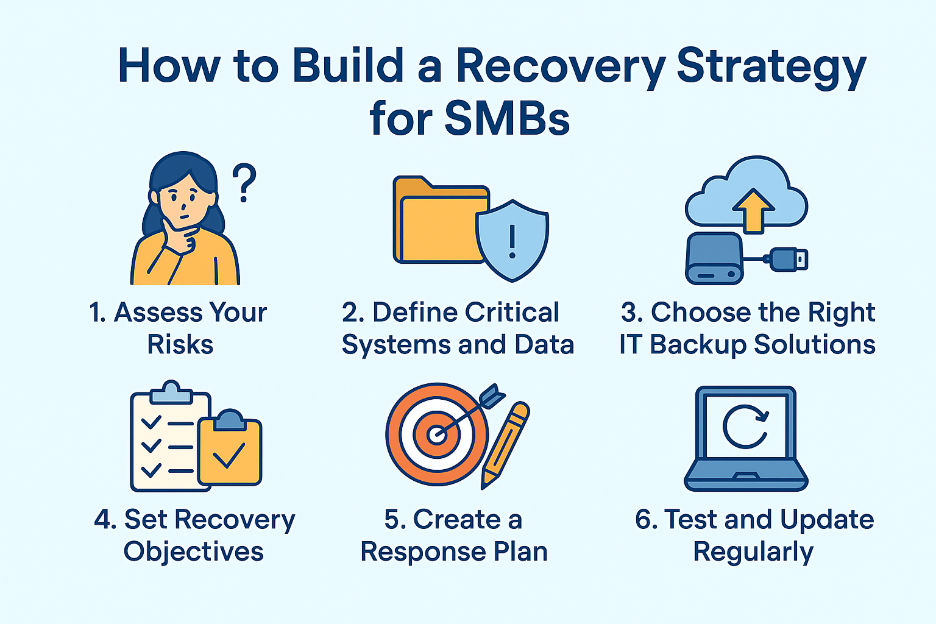
How to Build a Recovery Strategy for SMBs
By breaking a disaster recovery plan into manageable steps, SMBs can craft a strategy that’s both practical and effective. Here’s how to get started:
1. Assess Your Risks
Start by identifying the threats most relevant to your business. A retail shop in a coastal area might prioritize flood preparedness, while an online business may focus on cybersecurity. Therefore, conduct a risk assessment to pinpoint vulnerabilities, such as outdated software, single points of failure in your IT setup, or reliance on a single internet provider. Knowing your risks helps you tailor your IT backup solutions.
2. Define Critical Systems and Data
Not all data is created equal. Identify the systems and information your business can’t function without—think customer records, financial data, or proprietary software. For example, an e-commerce SMB relies heavily on its website and inventory database. Map out these critical assets and prioritize them in your recovery strategy. This step helps you focus your resources on what matters most.
3. Choose the Right IT Backup Solutions
IT backup solutions are the backbone of any disaster recovery plan. The goal is to create secure, accessible copies of your data that you can restore quickly after a disruption. Here are some options to consider:
- Cloud Backups: Cloud solutions are cost-effective for SMBs and provide easy access to data from anywhere.
- On-Premise Backups: External hard drives or network-attached storage (NAS) devices provide local backups for faster recovery. However, they’re vulnerable to physical damage, so pair them with off-site storage.
- Hybrid Backups: Combining on-premise and cloud backups offers the best of both worlds—speed and redundancy.
When selecting IT backup solutions, look for features like automated backups, encryption, and versioning (the ability to restore older file versions). However, regular testing is critical; backups are only as good as their ability to restore data when needed.
4. Set Recovery Objectives
Two key metrics define your recovery strategy for SMBs: Recovery Time Objective (RTO) and Recovery Point Objective (RPO). RTO is the amount of time your business can afford to be offline before significant harm occurs. RPO is the amount of data (measured in time) you can afford to lose.
For example, an SMB with a 4-hour RTO and a 15-minute RPO needs solutions that restore systems within 4 hours and capture data every 15 minutes. These metrics guide your choice of IT backup solutions and shape your IT downtime prevention efforts.
5. Create a Response Plan
A disaster recovery plan is only effective if everyone knows their role. Therefore, document a step-by-step response plan that outlines:
- Who to Contact: List key personnel, IT vendors, and external support (e.g., cloud backup providers).
- What to Do: Detail procedures for restoring data, switching to backup systems, or communicating with customers during downtime.
- Where to Go: If your office is inaccessible, designate an alternate location or remote work protocols.
Share this plan with your team and conduct regular training or drills to keep everyone prepared.
6. Test and Update Regularly
Schedule quarterly tests to verify that your IT backup solutions work as expected. Simulate scenarios like a server crash or a ransomware attack to identify gaps. Also, update your recovery strategy for SMBs as your business evolves—new software, additional employees, or expanded operations may require adjustments.
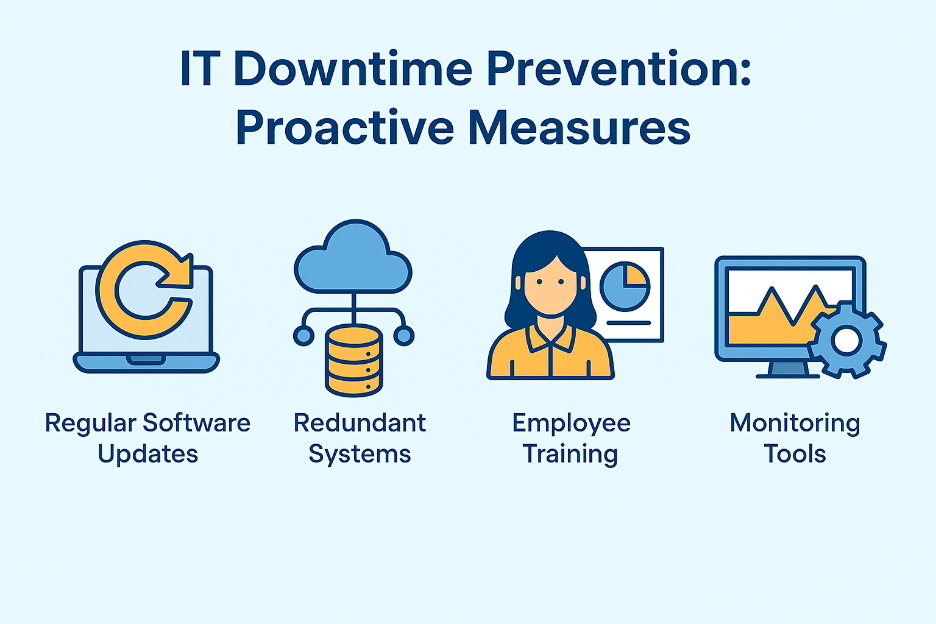
IT Downtime Prevention: Proactive Measures
While recovery is critical, preventing downtime in the first place is even better. IT downtime prevention involves proactive steps to minimize disruptions:
- Regular Software Updates: Keep operating systems, applications, and antivirus software up to date to reduce vulnerabilities.
- Redundant Systems: Use failover systems, like a secondary internet connection or a backup server, to maintain operations during outages.
- Employee Training: Educate staff on cybersecurity best practices, such as recognizing phishing emails or using strong passwords.
- Monitoring Tools: Deploy network monitoring tools to detect issues before they escalate.
By integrating these measures with robust IT backup solutions, you create a layered defense that minimizes the impact of disruptions.
From Disaster to Recovery: Nurture IT Has You Covered
At Nurture IT, we deliver robust IT backup solutions to keep your operations resilient. You get automated cloud and hybrid backups that keep your data secure and accessible with minimal recovery time. Our solutions prioritize IT downtime prevention, featuring real-time monitoring, encryption, and regular testing to keep your systems running smoothly.
Don’t let a disaster derail your business—partner with Nurture IT to build a resilient future. Visit Nurture IT to explore our disaster recovery services and safeguard your SMB today!
Final Thoughts
By investing in IT backup solutions, prioritizing IT downtime prevention, and crafting a tailored recovery strategy for SMBs, you can protect your business from the unexpected. The key is to start small, plan smart, and act proactively. Don’t wait for the storm to hit—build your safety net today with Nurture IT.
FAQs
1. How often should IT backup solutions run?
IT backup solutions should run daily or more frequently, depending on your Recovery Point Objective (RPO), to capture recent data and reduce losses.
2. How do IT backup solutions support disaster recovery?
IT backup solutions enable rapid data restoration, aligning with your recovery strategy to reduce downtime after disasters like power outages or cyclones.
3. Do IT backup solutions require technical expertise?
Modern IT backup solutions are user-friendly, with automated features and dashboards, making them accessible even for SMBs with limited IT staff.
4. What types of IT backup solutions are best for SMBs?
Cloud-based, on-premise, and hybrid IT backup solutions are popular. However, cloud options are cost-effective, while hybrid setups offer speed and redundancy.